


Manage Your Money When You Want
How often do you actually have time to run to the bank to manage your money? If your answer was, “Not that often,” you’re not alone. Your life is busy, so you need tools that will make it easier for you to handle your finances on the go.
With Oak Bank’s online banking tools and mobile banking app, that’s exactly what you get. We’re focused on helping you efficiently manage your money on your time.
Online Banking Features
Convenience is the key to Oak Bank’s online banking tools. Once you’ve enrolled and log in, you’ll be able to:
- View current balances on your deposit and loan accounts
- Track your transaction history
- Create custom alerts on your accounts
- Enroll in eStatements
- Set up one-time or recurring bill payments
- Sign up for Zelle for easy person-to-person transfers
- Download your account data into financial software platforms like Quicken
Check out these videos to learn more about what you can do with online banking.

Mobile App Features
Oak Bank's Mobile Banking app makes it easy to access and securely manage your bank accounts from your smartphone or tablet, at any time. Once you download our mobile banking app, you can:
- View current account balances
- Track your transactions
- Make a bill payment
- Deposit a check using your phone’s camera
- Initiate payments to friends and family
- Set up account alerts
Digital Product Info
Mobile Check Deposit
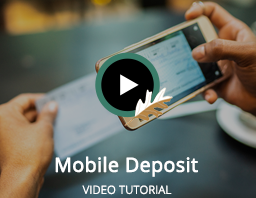
Depositing checks has never been easier than with the Oak Bank mobile banking app. With mobile check deposit, you can snap a couple pictures of your endorsed check and choose which account you want ot deposit the funds to. It’s that simple. Follow these steps:
- Check: Endorse your check (including a line that says, “for mobile deposit only at Oak Bank” and your account number).
- Snap: Place your check on a flat surface and snap a picture of both sides with your smartphone (make sure all lines on the check are visible and are not blurry).
- Deposit: Submit the photo via your Oak Bank Mobile Banking app and the money will be directly deposited into your account automatically.
Simplify Your Bill Payments
Take the hassle of out paying your bills each month! With our iBillPay, our online bill pay system, you can set up one-time or recurring bill payments. And, you set the payment date, so you don’t have to worry about missing a due date because a check didn’t get mailed on time. Watch the videos below to learn more about paying bills online.
eStatements
Instead of waiting to receive your paper statement in the mail, you’ll get an email notification when your statement is ready to securely view online. It's the same information as paper statements, but without the environmental impact of printing and mailing.
eStatements also offer a secure solution to data storage by electronically storing your statements for up to 18 months. You can get rid of the file cabinets and paper shredders and save your information safely where it will be protected from unauthorized access.
If you're not enrolled in eStatements but want to get started, contact us for help.
Banking Alerts
Banking alerts in online banking and the mobile app allow you to enjoy peace of mind wherever you go. You can monitor account balances and activity 24/7, get deposit and withdrawal notifications, control security alerts and more!



.png "Link opens in new tab to Apple App Store")

